
Download VCD Menu Lite – Video CD Menu, Custom Video Menu, VCD Tool, Video Playlist, Video Cover
Overview
VCD Menu Lite is a specialized utility designed for users seeking to create personalized and visually engaging menus for Video CDs. The application serves as a straightforward tool for organizing up to 10 video files into a structured, navigable menu system, ideal for home video collections, event recordings, or educational content distribution. Its primary purpose is to enhance the user experience by transforming raw video files into a polished, menu-driven presentation. This functionality is particularly useful for individuals or small organizations aiming to distribute video content in a professional and user-friendly format without requiring advanced editing skills.
Target users include hobbyists, educators, event organizers, and content creators who manage physical video media and wish to improve the presentation of their VCDs. The app is especially valuable in contexts where digital playback systems lack built-in menu support or when users prefer a consistent, branded interface across multiple discs. By enabling customization of visual elements such as colors, backgrounds, and text styles, VCD Menu Lite empowers users to tailor their menus to match specific themes or branding needs.
Developed by Arnold A. Howe, the application reflects a focused approach to solving a niche but meaningful problem in media organization. Although the developer did not provide additional technical details or background information, the app’s longevity—first released in 2007—suggests a stable and enduring utility. Its continued relevance underscores its effectiveness in a specialized segment of the mobile app ecosystem, where dedicated tools for legacy media formats remain in demand.
Key Features & Functionality
- Customizable Interface: Users can modify the visual layout of the menu by adjusting colors, background images, and text styles, allowing for a personalized aesthetic that aligns with the content or branding.
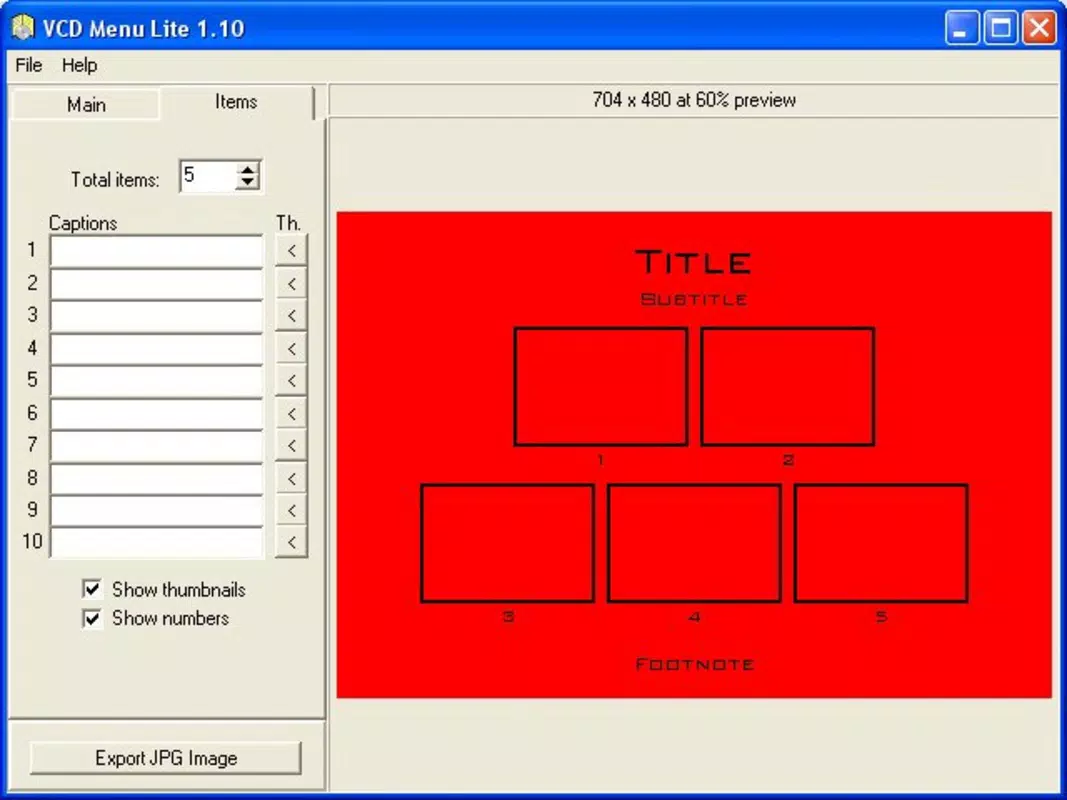
- Video Integration: The app supports the inclusion of up to 10 video files within a single menu, with the ability to reorder them for optimal user navigation and content prioritization.
- Add Images and Screenshots: Each video entry can be enhanced with custom images or screenshots extracted directly from the video, improving visual clarity and content identification.
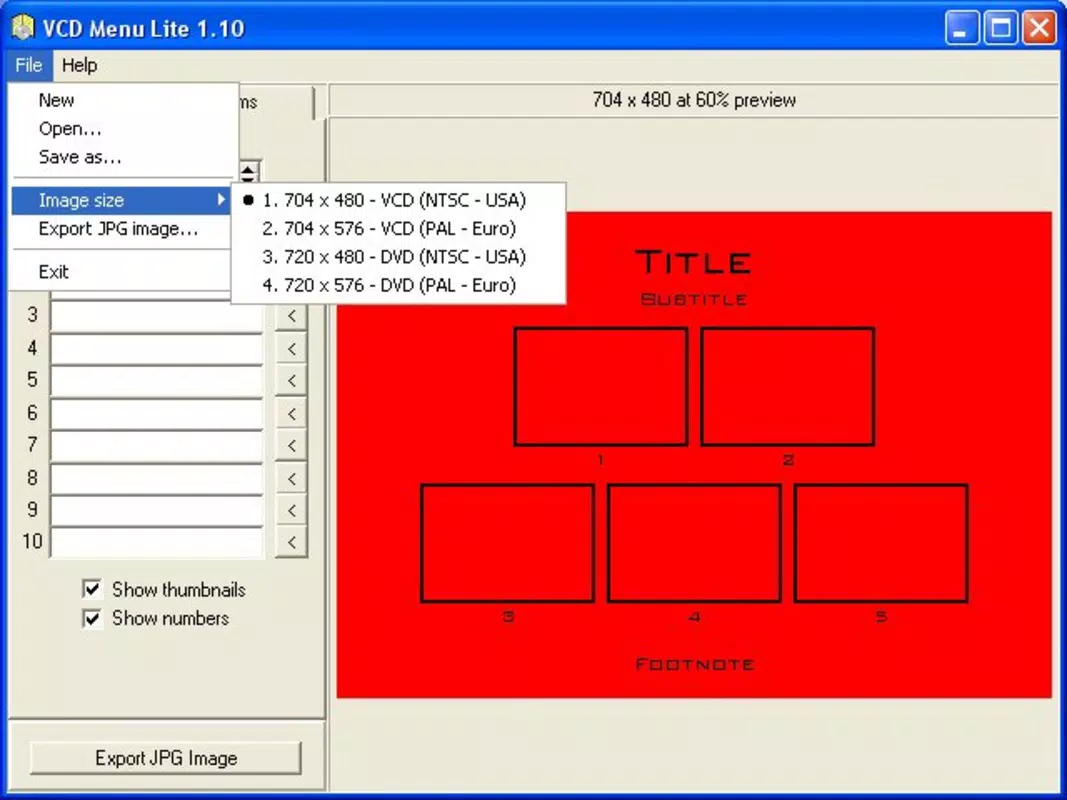
- Export Options: Finalized menu designs can be exported in JPG format, enabling use in cover designs, promotional materials, or documentation beyond the VCD itself.
- User-Friendly Design: The interface is structured for simplicity, allowing users with minimal technical experience to create functional menus efficiently and without confusion.
For example, a family organizing a home video collection can use VCD Menu Lite to assign themed backgrounds to each event—weddings, birthdays, vacations—while adding representative screenshots to each video entry. Similarly, a teacher distributing educational recordings might use the app to create a consistent, branded menu across multiple VCDs, improving student access and engagement.
Interface, UX & Performance
The user interface of VCD Menu Lite is designed with simplicity and functionality in mind. It features a clean layout that prioritizes core tasks: adding videos, customizing visuals, and exporting the final design. Navigation is intuitive, with clearly labeled sections and minimal on-screen clutter, supporting a smooth workflow for users of varying technical skill levels.
Visual elements such as color pickers, background upload options, and text style controls are accessible through straightforward menus. The app maintains a consistent layout across screens, reducing cognitive load and enhancing usability. Although the developer did not list formal performance metrics, the application’s lightweight nature—2.1 MB in size—suggests efficient resource usage, which is beneficial for older or low-end Android devices.
Responsiveness appears to be reliable based on its long-standing functionality, though specific performance data across device categories was not disclosed. Stability is implied by the app’s continued availability since 2007. The absence of complex animations or resource-heavy features further supports consistent operation across a range of Android hardware.
Platform Compatibility & Technical Requirements
VCD Menu Lite is available on the Android platform. The current version is 1.0.1, with a file size of 2.1 MB. The app is offered at no cost, making it accessible to users seeking a free solution for VCD menu creation.
While the developer did not specify minimum OS requirements or compatibility details beyond the platform, the app’s lightweight footprint and long release history suggest it may function on older Android versions. However, specific compatibility information was not fully disclosed, and users are advised to test the app on their devices to confirm functionality. No additional permissions or hardware requirements were listed.
Pros and Cons
Pros
- Free to download and use, with no in-app purchases or hidden fees.
- Supports up to 10 video files per menu, offering a practical balance between flexibility and simplicity.
- Allows export of menu designs in JPG format for use in covers or promotional materials.
- Intuitive interface suitable for beginners and non-technical users.
- Lightweight size (2.1 MB) ensures minimal storage impact.
Cons
- Maximum of 10 videos per menu may limit use for large video collections.
- No information on minimum OS requirements or device compatibility was provided.
- Only supports JPG export; no option for other image or video formats.
- Development history suggests limited or no recent updates, which may affect long-term compatibility.
- No cloud sync or backup features for saved menu projects.
FAQ
Is VCD Menu Lite safe to download and install?
Yes, the app is free and available through official channels. It does not require root access or unusual permissions. However, users should ensure they download from trusted sources to maintain security.
Can I use VCD Menu Lite on iOS devices?
No, the app is currently only available for Android. There is no iOS version listed by the developer.
Does VCD Menu Lite support video formats other than those used in VCDs?
The app is designed for VCD-compatible video files. While it may accept other formats, specific compatibility details were not provided.
How do I export my menu design?
After customizing your menu, use the built-in export function to save the design as a JPG image file for use in covers or promotional content.
Is VCD Menu Lite regularly updated?
The app was first released in 2007, and no recent update information was provided. Users should be aware that long-term compatibility with newer Android versions cannot be guaranteed.
Final Thoughts
VCD Menu Lite remains a niche yet effective tool for users who need to organize and present video content on physical media. Its combination of customization, simplicity, and export flexibility makes it a valuable asset for anyone managing video CDs, especially in educational, personal, or archival contexts. While its feature set is limited by modern standards, its focus on core functionality ensures reliability and ease of use.
For those seeking a free, lightweight utility to create branded, visually appealing menus for VCDs, this app delivers tangible value. Despite its age and lack of recent updates, its enduring presence speaks to its practicality and stability. If you’re working with legacy video formats and need a straightforward way to enhance your content’s presentation, VCD Menu Lite is a smart choice.
Download VCD Menu Lite now


